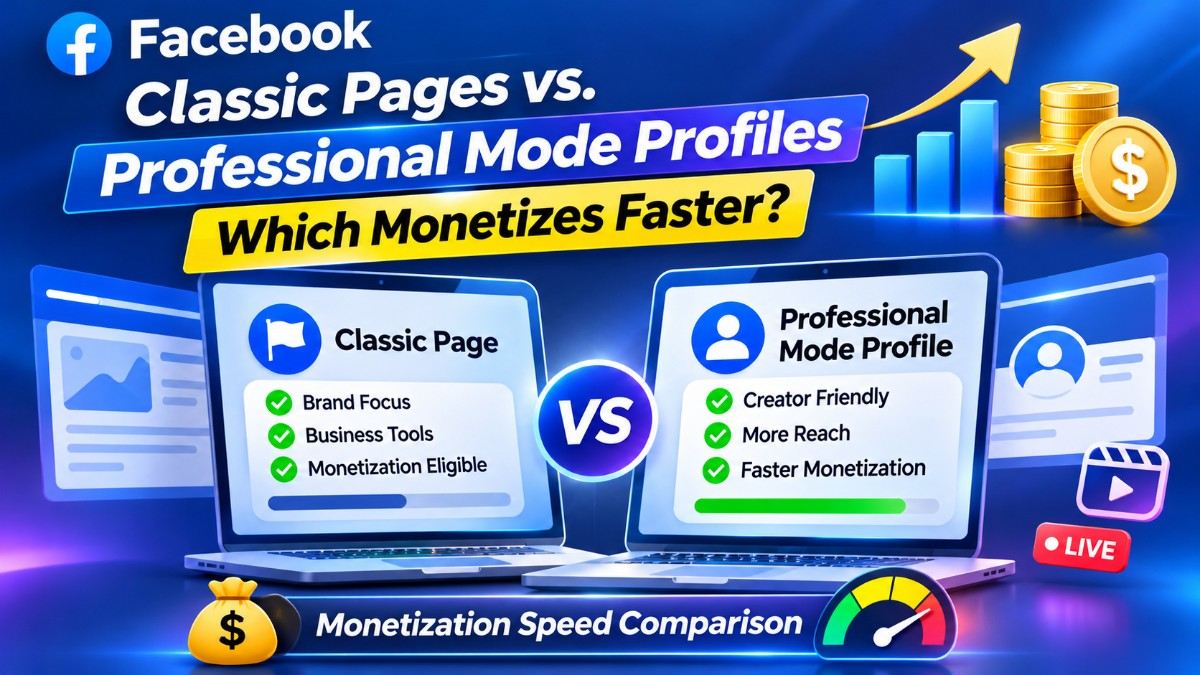
Profile Architecture: Facebook Professional Mode converts personal profiles into monetizable creator hubs, allowing existing friends to count toward your initial follower base. Creators scale Professional Mode profiles past 10,000 followers at ₹11.12/1K using the best SMM panel in India and our dedicated Facebook SMM panel servers.
When building a monetized video presence on Meta, creators and digital publishers must choose between two distinct account architectures: launching a standalone **Facebook Business/Creator Page** from scratch or activating **Facebook Professional Mode** directly on an existing personal profile.
While both architectures grant access to the exact same monetization suites—including **Facebook Content Monetization (In-Stream Ads & Ads on Reels)**, **Facebook Stars**, and **Subscriptions**—their underlying algorithmic reach, initial follower seeding, and SMM server compatibility operate very differently. Understanding which structure fits your content workflow can shave weeks off your time to first payout.
How Facebook Professional Mode Differs from a Traditional Page
Historically, personal Facebook profiles were capped at 5,000 mutual friends and locked out of Meta Business Suite analytics and ad revenue sharing. Turning on **Professional Mode** reconfigures your personal profile into a hybrid creator hub:
- Instant Friend-to-Follower Conversion: If your personal profile already has 3,800 friends, enabling Professional Mode instantly converts all 3,800 friends into public followers—meaning you only need 1,200 additional followers to clear the 5,000-follower In-Stream Ads requirement.
- Personal Profile Feed Trust Weight: Meta’s News Feed algorithm naturally prioritizes updates from personal profiles over commercial brand pages. Professional Mode profiles inherit this higher organic edge-rank while still allowing public non-friends to discover your Reels and long-form videos.
- Dual Privacy Controls: Unlike a public Page where every post is visible to the entire internet, Professional Mode lets you choose on a post-by-post basis whether an update is shared with "Public" (monetizable) or "Friends Only" (private family updates).
Facebook Classic Pages vs. Professional Mode Profiles: Full Comparison
Compare how both account structures perform across monetization speed, team management, and SMM server ordering:
4 Tactical Rules to Scale Professional Mode Profiles & Pages Safely
Whether you choose a Professional Mode profile for rapid solo monetization or a portfolio of Pages for an agency network, follow these four technical rules when scaling:
1. Match Your URL Structure to the Correct SMM Server Type
Inside an SMM dashboard, Facebook servers are split into two distinct categories: **Page Likes/Followers** and **Profile Followers**. Even after you turn on Professional Mode, Facebook still treats your account URL as a Personal Profile on the backend. Always select a server explicitly labeled **Facebook Profile Followers** when submitting a personal or Professional Mode link, and use **Page Likes & Followers (#2035)** for traditional Pages.
2. Unlock "Public Followers" in Settings Before Ordering
If you order followers for a personal profile without enabling Professional Mode first, your order will cancel if **Settings & Privacy → Followers and Public Content → Who Can Follow Me** is set to "Friends" instead of **"Public."** Turning on Professional Mode automatically switches your follower permissions to Public so automated servers can deliver without interruption.
3. Scale Past the 10,000-Follower Authority Benchmark
While 5,000 followers unlocks basic In-Stream Ads, crossing the **10,000-follower milestone** unlocks higher-tier brand collaboration visibility inside Meta’s Creator Marketplace and displays the shorthand **"10K followers"** badge under your profile name. Scaling a Professional Mode profile to 10,000+ followers at wholesale rates (₹11.12/1K) dramatically increases organic follow-back rates when your Reels hit the feed.
4. Combine Reels Velocity with 3-Minute On-Demand Videos
On a Professional Mode profile, use 30-to-60-second Facebook Reels boosted with **Monetization-Safe Reel Views (#2523 at ₹1.47/1K)** to attract new top-of-funnel viewers, while publishing 3-to-5-minute horizontal videos to rapidly clear the 60,000-minute watch-time requirement.
Security & Asset Protection Tip: If you run a multi-channel media agency or plan to sell your Facebook asset in the future, build on a Facebook Page rather than a personal Professional Mode profile. Pages allow you to assign Editor and Analyst roles to video editors via Meta Business Suite without ever sharing your personal Facebook login or two-factor authentication codes.
Frequently Asked Questions
Does Facebook Professional Mode pay the same ad rates (RPM) as a classic Facebook Page?
Yes. Meta calculates In-Stream Ads and Ads on Reels payouts based on viewer geography, ad category, and watch duration—not whether the video was uploaded to a Professional Mode Profile or a classic Page. Both structures earn identical RPMs.
Why did my Facebook Page Likes order get canceled when I pasted my Professional Mode link?
A Professional Mode account is still technically a Facebook Profile, meaning it has a "Follow" button rather than a classic Page "Like" button. Always choose a **Facebook Profile Followers** server for Professional Mode links, and use **Facebook Page Likes & Followers** servers strictly for standard Pages.
If I turn off Professional Mode later, will I lose my delivered followers?
No. If you disable Professional Mode, your public followers remain attached to your personal profile as followers, and you can re-enable Professional Mode at any time without losing your follower count. However, any active ad monetization will pause while Professional Mode is turned off.

About Kavesh Arora
Kavesh Arora is the Founder of All Media Promotion and an SMM Growth Architect with over 10 years of experience in Meta creator monetization, profile follower infrastructure, and wholesale API automation.
Chat on Telegram →