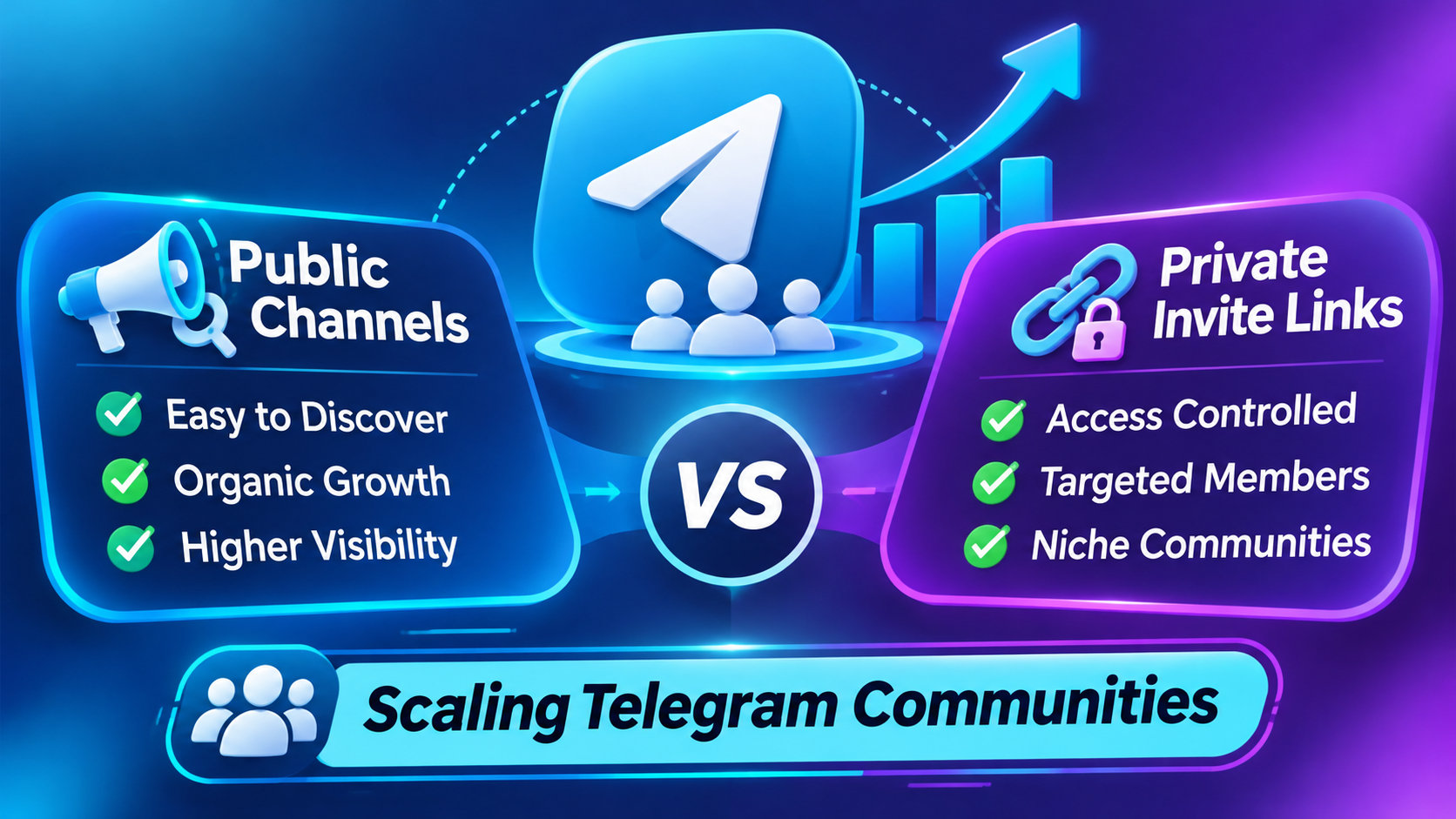
Community Security: Private Telegram groups using t.me/+ invite links protect member lists from competitor scraping while maintaining high exclusivity. Admins scale private trading, Web3, and educational groups using zero-drop invite-link servers (#2401) powered by our wholesale SMM panel India and Telegram SMM panel.
When building a high-value community on Telegram—whether for intraday stock trading signals, Web3 token launches, UPSC test-prep cohorts, or VIP e-commerce loot deals—every administrator faces a foundational architectural choice: operating an open **Public Channel/Group** (`t.me/username`) versus locking the community behind a **Private Invite Link** (`t.me/+hash` or `t.me/joinchat/`).
While public channels benefit from organic discovery inside Telegram’s Global Search directory, they expose your community to competitor member-scraping scripts, impersonation bots, and external link-preview leeching. Conversely, private invite-link communities offer total operational security and higher lead conversion rates, provided you scale their member base using servers specifically engineered to parse encrypted `t.me/+` invite hashes.
Public Channels vs. Private Invite-Link Communities: Architectural Breakdown
Evaluate how public handles and encrypted private invite links differ across security, monetization, and SMM server compatibility:
Why Most Standard SMM Orders Fail on Private Telegram Links
One of the most frequent support issues among Telegram admins occurs when an order placed for a private group gets automatically canceled (`Canceled` or `Partial`). Understanding how Telegram’s backend API handles `t.me/+` URLs prevents failed campaigns:
- "Request Admin Approval" Toggle Conflict: When creating a private invite link in Telegram, admins can enable a toggle labeled "Request Admin Approval." If this toggle is turned ON, automated servers cannot join the group directly—their requests sit trapped in your pending join queue, causing the order to time out and cancel.
- Anti-Flood & CAPTCHA Bot Interference: In two-way private chat groups, third-party moderation bots (such as Rose Bot, Shieldy, or GroupHelp) set to "Kick unverified users after 60 seconds" will automatically remove newly delivered members unless the bot’s welcome CAPTCHA is temporarily paused during fulfillment.
- Expired or Usage-Capped Invite Links: If an admin generates a custom invite link with a 100-user limit and submits an order for 2,000 members, the link expires mid-delivery after the 100th join.
4 Operational Rules to Scale Private Telegram Communities Safely
Follow this four-step technical protocol whenever you scale a private group or VIP broadcast channel:
1. Generate a Dedicated, Uncapped Invite Link for Your Order
Go to Channel/Group Info → Edit → Invite Links → Create a New Link. Leave "Request Admin Approval" turned OFF, set "Expire Date" to No Limit, and set "Limit Number of Users" to No Limit. Naming this link "SMM Scaling" lets you track exact delivery inside Telegram’s invite analytics and revoke the link once your order is 100% completed.
2. Select Dedicated Private-Link Non-Drop Servers (#2401)
Always verify that the service title or description explicitly states **"Supports Private & Public Links"** (such as Service ID #2401). These servers use authenticated MTProto client handshakes capable of resolving `t.me/+` invite hashes with high-retention, zero-drop stability.
3. Hide the Member List & Enable "Restrict Saving Content"
If you operate a two-way private discussion group (up to 200,000 members), navigate to Group Settings → Permissions → Hide Members so competitor scraping bots cannot extract your active community roster. Additionally, toggle on "Restrict Saving Content" under Group Type so non-members and competitors cannot forward your proprietary trading charts, PDFs, or course videos outside the group.
4. Use the "Public-to-Private Bridge" Funnel for Paid Ads
When running Meta Ads (Instagram/Facebook) or Google Ads to a private Telegram community, prospects decide whether to click "Join" within 2 seconds of seeing the invite pop-up card. A private invite card displaying "18,450 subscribers" converts paid ad clicks into joined leads at more than double the rate of a cold community showing only 42 members.
Group Admin Checklist: If your private group uses Rose Bot or Shieldy to block spam, run the command /welcome off or temporarily disable CAPTCHA kick timers before submitting your member order. Once the order status shows Completed in your dashboard, re-enable your bot protections immediately.
Frequently Asked Questions
Can I order Telegram members using a private t.me/+ invite link?
Yes. Our private-link compatible Telegram servers (such as Service ID #2401) accept standard https://t.me/+... and https://t.me/joinchat/... URLs directly. Just ensure that "Request Admin Approval" is turned off on that specific invite link while the order is running.
Will revoking my invite link after order completion cause delivered members to drop?
No. Revoking or deleting an invite link after your order status reaches "Completed" only prevents future users from using that old URL—it does not remove any members who have already joined the channel or group. However, keep the link active if you intend to use the automated Refill button during the guarantee window.
Can I order post views and emoji reactions for a private Telegram channel?
Post view and emoji reaction servers require a public post URL to access the message externally. If your channel is private, you can either switch it to Public temporarily while views deliver, or forward the post to a public bridge channel so every forwarded copy inherits the higher view counter automatically.

About Kavesh Arora
Kavesh Arora is the Founder of All Media Promotion and an SMM Growth Architect with over 10 years of experience in Telegram community security, private invite-link scaling, and wholesale API automation.
Chat on Telegram →